Agentflow Deployment and Configuration Guide
This document is intended for engineers involved in initial deployment / operations / project handover, covering: 1. One-click local development environment setup 2. Complete Docker infrastructure stack 3. Comprehensive list of environment variables (especially LLM API Keys) 4. Control plane (HTTP API + Web UI) startup methods 5. Viewing persistent data 6. Production deployment checklist
1. System Requirements
| Component | Version | Purpose |
|---|---|---|
| Python | 3.11+ | Runtime (asyncio, TaskGroup, Self type) |
uv |
latest | Package management (replaces pip + venv) |
| Docker + Compose | Any recent version | Runs Postgres / Redis / Redpanda / Observability stack |
| Node.js | v20+ (v26 recommended) | Only if building the Web UI |
make |
GNU Make 3.81+ | Makefile shortcut commands (optional) |
Natively supported on macOS / Linux. WSL2 is recommended for Windows.
2. Project Structure Overview
agentflow/
├── src/agentkit/         # Core code
│   ├── api/              # FastAPI control plane
│   ├── bus/              # EventBus (InProcess / Kafka)
│   ├── orchestrator/     # Run scheduler + RunStore (Memory / Postgres)
│   ├── runtime/          # Agent instances + 4-gate pipeline
│   ├── llm/              # LLM Gateway + 5 providers
│   ├── workflow/         # IR + Compiler
│   ├── notifier/         # Rule engine + channels
│   ├── observability/    # Metrics / Tracing / Audit
│   └── cli/              # `agentkit` CLI
├── web/                  # Vite + React + Tailwind console
├── tests/                # unit / integration / perf / e2e
├── docs/                 # Directory containing this document
├── deploy/               # Prometheus / Grafana / OTel config
├── docker-compose.yml    # Development stack
├── Makefile              # One-click commands
└── pyproject.toml
3. Quick Start (Up and Running in 5 Minutes)
3.1 Install Dependencies
cd agentflow

# First time: Install uv (one-time)
curl -LsSf https://astral.sh/uv/install.sh | sh

# Install Python dependencies (auto-creates .venv)
uv sync --all-extras
# Equivalent to: make install
3.2 Configure API Keys
Place a .env file in the project root directory and activate it:
# Needs at least one to run
DEEPSEEK_API_KEY=sk-xxx
OPENAI_API_KEY=sk-xxx
ANTHROPIC_API_KEY=sk-ant-xxx
GEMINI_API_KEY=AIza-xxx
QWEN_API_KEY=sk-xxx
Loading Mechanism: Upon starting,
agentkit serveautomatically searches upwards from the CWD for up to 4 levels to find a.envfile. The first one encountered takes effect. Keys already present inos.environwill not be overwritten (os.environ.setdefault).
3.3 Start Infrastructure
# Default: Complete stack (Data plane + Observability plane)
make up
# Equivalent to: docker compose --profile default up -d

# Start only the core trio (fast)
make up-core
# Equivalent to: docker compose --profile core up -d
After starting make up, it will print:
Services:
  Redpanda    : localhost:9092
  Redis       : localhost:6379
  Postgres    : localhost:5432  (agentkit/agentkit)
  Prometheus  : http://localhost:9090
  Grafana     : http://localhost:3000  (admin/admin)
3.4 Start Control Plane
# Auto-detects all providers in .env; falls back to MockLLM if no keys exist
uv run agentkit serve --workflows examples/workflows --handlers examples.handlers

# Force mock (no keys needed, purely local)
make serve-mock

# Force DeepSeek (cheapest, recommended for dev)
uv run agentkit serve --deepseek
Open in your browser:
- Web UI: http://localhost:8080/
- Swagger: http://localhost:8080/docs
- Metrics: http://localhost:8080/metrics
- Health Check: http://localhost:8080/health
4. Complete Environment Variables List
General Priority Rule: Explicit CLI arguments >
.env>os.environ(existing keys not overwritten) > Framework defaults.
4.1 LLM Provider Keys (Most Common)
| Provider | Short Name | Recommended Env Name | Compatible Aliases |
|---|---|---|---|
| OpenAI | openai |
OPENAI_API_KEY |
AGENTKIT_LLM_OPENAI_API_KEY |
| DeepSeek | deepseek |
DEEPSEEK_API_KEY |
AGENTKIT_LLM_DEEPSEEK_API_KEY |
| Qwen / DashScope | qwen |
QWEN_API_KEY |
AGENTKIT_LLM_QWEN_API_KEY / DASHSCOPE_API_KEY |
| Gemini | gemini |
GEMINI_API_KEY |
AGENTKIT_LLM_GEMINI_API_KEY / GOOGLE_API_KEY |
| Anthropic | anthropic |
ANTHROPIC_API_KEY |
AGENTKIT_LLM_ANTHROPIC_API_KEY |
Auto-Detection Rules (api/server.py::_build_gateway):
Upon starting
serve, it scans the env variables for all providers. Every provider with a found key is registered as an independent instance. The default provider selection priority is:--deepseekflag ->deepseek->openai-> the first one found.If all are empty (and
--mockis not passed), it automatically falls back toMockLLMGateway. It will not fail to start due to missing keys.
4.2 Postgres (Persistent RunStore)
| Variable | Default | Description |
|---|---|---|
AGENTKIT_PG_DSN |
(None) | Full DSN, highest priority. E.g.: postgresql://user:pwd@host:5432/db |
AGENTKIT_PG_HOST |
localhost |
Host |
AGENTKIT_PG_PORT |
5432 |
Port |
AGENTKIT_PG_USER |
agentkit |
Username |
AGENTKIT_PG_PASSWORD |
agentkit |
Password |
AGENTKIT_PG_DB |
agentkit |
Database name |
Defaults match the
postgresservice indocker-compose.yml; no configuration is needed for purely local setups. The control planeservedefaults toInMemoryRunStore(data lost on restart). To enable persistence:
4.3 Redis (Deduplication / Guardrails / Cross-Process Notifications)
| Variable | Default | Description |
|---|---|---|
REDIS_URL |
redis://localhost:6379/0 |
Used for dedup / pubsub (RedisDedupStore / RedisCompletionNotifier) |
AGENTKIT_GUARDRAIL_REDIS_URL |
redis://localhost:6379/0 |
Guardrail Lua backend (can use different DB index) |
4.4 EventBus / Kafka (Prefix AGENTKIT_BUS_)
| Variable | Default | Description |
|---|---|---|
AGENTKIT_BUS_BROKERS |
localhost:9092 |
Comma-separated list of brokers |
AGENTKIT_BUS_CLIENT_ID |
agentkit |
Producer / consumer client ID |
AGENTKIT_BUS_PRODUCER_ACKS |
all |
Producer ack level (0 / 1 / all) |
AGENTKIT_BUS_PRODUCER_COMPRESSION |
gzip |
gzip / snappy / lz4 / zstd |
AGENTKIT_BUS_PRODUCER_LINGER_MS |
5 |
Batching linger delay |
AGENTKIT_BUS_DEFAULT_PARTITIONS |
6 |
Default partition count for auto-created topics |
AGENTKIT_BUS_VISIBILITY_TIMEOUT_MS |
60000 |
Consumer visibility timeout |
AGENTKIT_BUS_MAX_REDELIVERY |
6 |
Max redelivery attempts before sending to DLQ |
See
src/agentkit/bus/kafka/config.py::KafkaSettingsfor the complete list.
4.5 Observability Stack (OpenTelemetry / Prometheus)
| Variable | Default | Description |
|---|---|---|
OTEL_EXPORTER_OTLP_ENDPOINT |
http://localhost:4318 |
OTLP HTTP collector endpoint |
OTEL_SERVICE_NAME |
agentkit |
service.name resource attribute |
OTEL_RESOURCE_ATTRIBUTES |
(Empty) | key=value,... extra tags |
AGENTKIT_TRACING_ENABLED |
false |
Set to true to enable the OTel exporter |
AGENTKIT_PROBE_PORT |
9000 |
/metrics /health /ready probe port |
In
agentkit servemode, metrics are directly exposed on the main port at8080/metrics. A ProbeServer is not needed.
4.6 Miscellaneous
| Variable | Default | Description |
|---|---|---|
LOG_LEVEL |
info |
debug / info / warning / error |
AGENTKIT_LOG_FORMAT |
json |
json (structlog for prod) / console (colored for dev) |
5. CLI Commands Overview
agentkit version              # Print version
agentkit init my-proj         # Scaffold workflows + handlers templates in my-proj/
agentkit validate workflow.yaml  # Static YAML validation
agentkit compile  workflow.yaml  # Output IR JSON (diff-friendly)
agentkit run      workflow.yaml --input '{"q":"hi"}'  # One-off run execution
agentkit serve --workflows ./workflows --handlers myapp.handlers
                              # Start control plane + Web UI
serve Options:
| Option | Default | Description |
|---|---|---|
--workflows |
workflows |
YAML directory; deploys all on startup |
--handlers |
handlers |
Python module; scans for @agent / Agent subclasses |
--host |
0.0.0.0 |
Bind host |
--port |
8080 |
Bind port |
--mock |
false |
Force MockLLM |
--deepseek |
false |
Force DeepSeek as default provider |
6. Web UI Build (Optional)
6.1 Local Development Mode
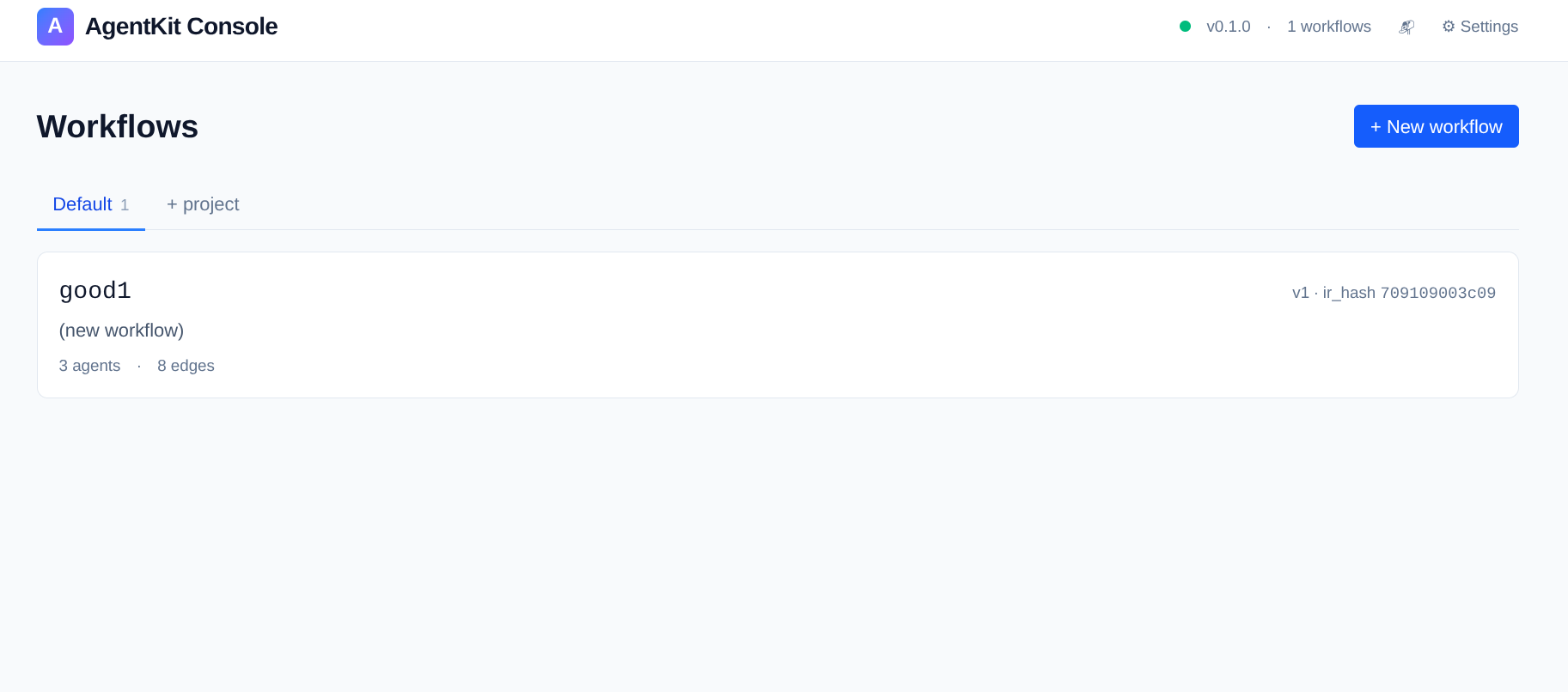
Vite starts on http://localhost:5173, and requests are proxied to http://localhost:8080/api/* (i.e., agentkit serve running in another terminal).
6.2 Production Build
make ui-build
# cd web && npm run build  -> web/dist/

# Afterwards, agentkit serve will automatically serve the UI from web/dist/
uv run agentkit serve
api/app.py detects the existence of web/dist/ and mounts it to the root path /.
7. Data Persistence and Viewing
7.1 Table Structure (Postgres runs table)
PostgresRunStore.start() automatically creates the table and indices:
| Column | Type | Description |
|---|---|---|
run_id |
TEXT PK |
ULID |
workflow_id / workflow_version |
TEXT / INT |
Compiled artifact fingerprint |
trace_id |
TEXT |
OTel correlation |
status |
TEXT |
Running / Succeeded / Failed / Cancelled |
started_at / ended_at |
TIMESTAMPTZ |
UTC |
failure_reason |
TEXT |
Failure reason |
input / output / cursor |
JSONB |
Full JSON |
created_at / updated_at |
TIMESTAMPTZ |
DDL default now() |
7.2 Querying Data
# Enter psql
docker exec -it agentkit-postgres psql -U agentkit -d agentkit

# List all schemas and tables
\dn        -- Schema list
\dt *.* -- All tables

# Last 10 runs
SELECT run_id, workflow_id, status,
       ROUND(EXTRACT(EPOCH FROM (ended_at - started_at))*1000) AS ms
FROM public.runs ORDER BY started_at DESC LIMIT 10;

# p50 / p95 / p99 latency
SELECT
  percentile_cont(0.50) WITHIN GROUP (ORDER BY EXTRACT(EPOCH FROM (ended_at - started_at))*1000) AS p50,
  percentile_cont(0.95) WITHIN GROUP (ORDER BY EXTRACT(EPOCH FROM (ended_at - started_at))*1000) AS p95,
  percentile_cont(0.99) WITHIN GROUP (ORDER BY EXTRACT(EPOCH FROM (ended_at - started_at))*1000) AS p99
FROM public.runs WHERE ended_at IS NOT NULL;
7.3 Viewing Redis
docker exec -it agentkit-redis redis-cli

# View dedup keys
KEYS dedup:*
TTL  dedup:<event_id>

# Subscribe to completion events
SUBSCRIBE 'run:terminal:*'
7.4 Observability Dashboards
| Endpoint | Purpose |
|---|---|
| http://localhost:9090 | Prometheus (PromQL queries, scrapes /metrics) |
| http://localhost:3000 | Grafana (admin/admin, pre-configured dashboards) |
| http://localhost:8080/metrics | Raw application Prometheus metrics output |
| http://localhost:4318 | OTLP HTTP collector |
8. Testing
make test-unit            # 527 unit tests, zero external dependencies
make test-integration     # 12 integration tests, requires make up-core
make test-e2e             # Full-stack E2E (includes metrics scrape verification)
make test-perf            # 13 perf benchmarks
Or:
uv run pytest tests/unit -q
uv run pytest tests/integration -m integration
uv run pytest tests/perf -m perf -s --benchmark-disable
9. Frequently Asked Questions (FAQ)
Q1: agentkit serve keeps falling back to MockLLM
-> Check if .env is missing from the CWD or its 4 parent directories, or if the key names are misspelled.
Q2: Postgres connection fails with connection refused
-> Confirm the container is running with docker ps | grep postgres; is the port occupied? Check with lsof -i :5432.
Q3: Redpanda / Kafka messages are not being consumed
-> The default is AGENTKIT_BUS_BROKERS=localhost:9092. For cross-container communication, change it to redpanda:9092 and append --network agentkit_default.
Q4: UI loads a blank white screen
-> The UI hasn't been built. Run make ui-build first, or use dev mode with make ui-dev (port 5173).
Q5: fakeredis throws HGETALL error during tests
-> fakeredis 2.35 is unreliable when decode_responses=True — production code already includes _to_str / _decode_hash fallbacks.
10. Production Deployment Checklist
Default configurations are geared towards local development. Please verify each item before going to production:
- [ ] Postgres: Switch to managed RDS / Aurora, use SSL for
AGENTKIT_PG_DSN:?sslmode=require - [ ] Redis: Switch to managed ElastiCache, add password:
redis://:pwd@host:6379/0 - [ ] Kafka:
AGENTKIT_BUS_BROKERSwith at least 3 brokers,producer_acks=all - [ ] API Keys: Use K8s Secrets / Vault, strictly do not commit
.envfiles - [ ] TLS: Place nginx / envoy in front of
agentkit servefor TLS termination - [ ] Resources: JVM is not used, but ensure Redpanda / Postgres / Prometheus are allocated sufficient memory
- [ ] Observability:
AGENTKIT_TRACING_ENABLED=true+ a real OTLP endpoint - [ ] Alerts: Configure Notifier with a
webhookchannel pointing to PagerDuty / Lark bots - [ ] Backups: Schedule Postgres
pg_dump; Run data serves as the audit source - [ ] Rate Limiting: Configure
run.max_total_tokens/agent.max_tokens_per_callin the workflow YAML
Appendix: One-Click Reproduction Commands
# Start from scratch
git clone <repo> && cd agentflow
uv sync --all-extras
make up                         # Start infrastructure
echo "DEEPSEEK_API_KEY=sk-..." > ../.env
uv run agentkit serve --deepseek
# -> Open http://localhost:8080 in browser
Minimal local demo (requires no external services):